Leafy Corner Steam Deck Verified
Play Leafy Corner handheld with verified controls and cozy session pacing.
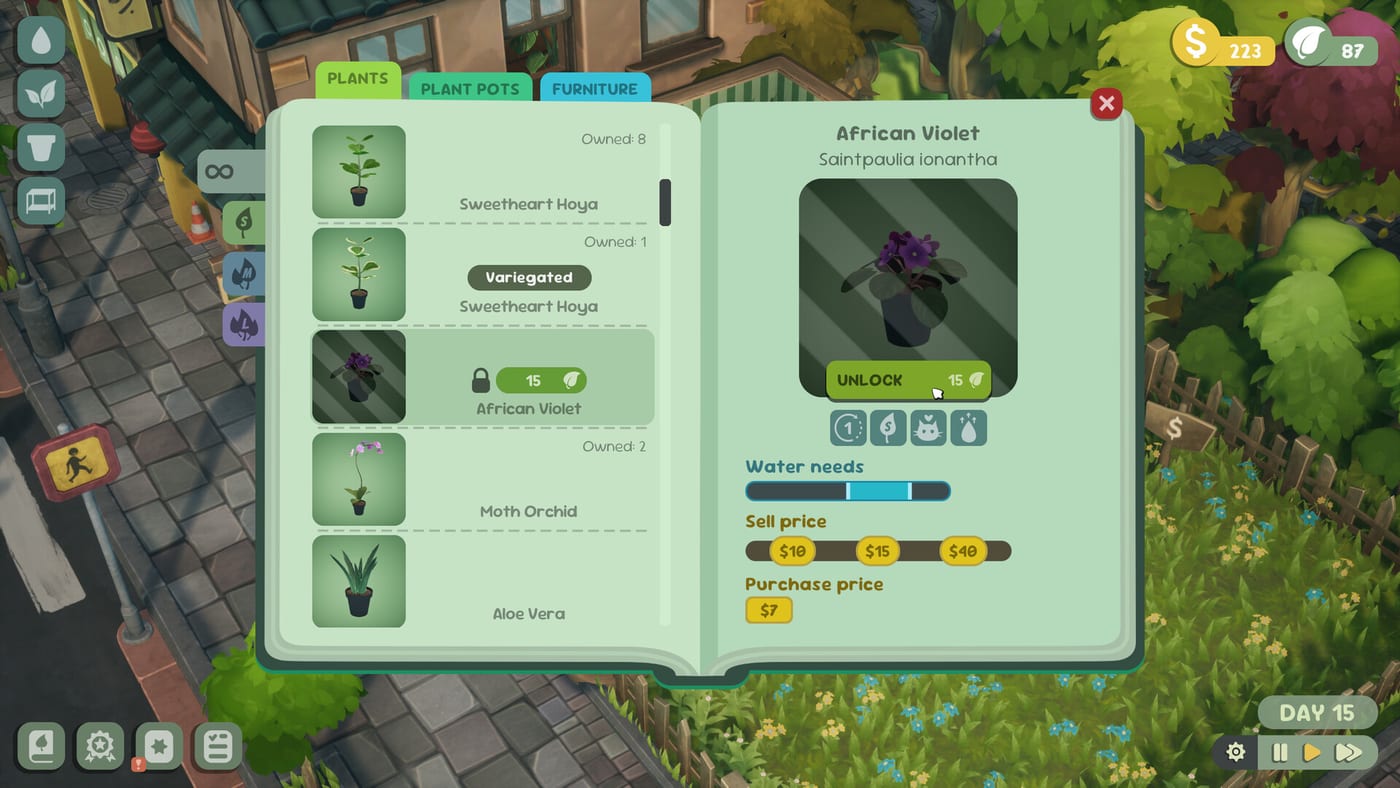
Verified for cozy handheld sessions
Fireline Games confirmed Steam Deck Verified status for Leafy Corner ahead of the July 30, 2026 launch—and the full game is out now at $9.99 with a 20% Steam discount through August 13, 2026. Verified means default controls, text, and UI targets are expected to work on Valve’s handheld without a maze of community layouts—ideal for watering routes on the couch after you learn the desktop loop in How to Water Plants.
Steam reviews sit Overwhelmingly Positive (~98%, 700+ purchaser reviews). Install Patch 1.0.3 (August 2, 2026) for stronger Reduced Watering and easier watering when your shop fills with plants.
Deck Verified does not magically raise FPS on every skin; treat it as a comfort baseline. Pair this page with System Requirements, Controls, and Game Settings.
Why Deck fits Leafy Corner
The game avoids staff management and hardcore economy spreadsheets. Short sessions—water whites, sell a few pots, rearrange one shelf—map cleanly to handheld battery life. Reputation and Plant Tokens still progress if you check droplets before decorating.
Demo length (~30 minutes for a clear pass) remains a perfect Deck smoke test before spending full price—or ~$7.99 during launch fortnight. See Launch Sale and Demo.
Controls and watering on pad
Keep watering mode one button away. Zoom before toggling if droplet icons feel small on the 7-inch screen. Camera rotation habits from Controls transfer; practice GFV-style orbit on keyboard first if you own both a PC and a Deck.
Reduced Watering from Demo 1.0.2 is especially useful on Deck: lower water usage means fewer stressful overwater mistakes when you play one-handed or in bright rooms. Patch 1.0.3 strengthened the effect further—re-test after updating. Full option guide: Reduced Watering.
UI readability tips
- Zoom into shelves before scanning whites.
- Prefer consistent routes so back-row pots are never skipped.
- Lower notification volume for variegation discoveries if SFX still feels loud in headphones.
- Use the language drop-down if your Deck account language differs from the wiki language you are reading.
- Disable motion blur from Demo 1.0.1 if camera pans during watering feel harsh—Game Settings.
Performance expectations
Aim for stable cozy framerates, not 4K showcase modes. Close heavy overlays if the shop hitches while rearranging pots and furniture. If the demo stutters on your Deck model, update to patch 1.0.3 before judging the retail build—hotfixes tracked on Updates hub.
Cloud saves between PC and Deck
Steam Cloud may sync progress when enabled—confirm in your Steam settings. Cross-save to Switch, PS5, or Xbox is a separate store question covered in Platforms and Price. Plan one primary save if you care about a long variegation collection.
Handheld session workflow
- Launch from Steam in Verified mode—avoid unverified proton tweaks unless needed.
- Run a quick watering pass before long Pause and Shop Layout sessions.
- Close the shop with the door sign when redesigning—Close Shop and Saves.
- Claim task rewards before compendium shopping on a small screen.
- Resume on desktop later if Steam Cloud syncs your slot.
Post-1.0.3 Deck checklist
- Update Steam OS and Leafy Corner to patch 1.0.3.
- Re-enable or test Reduced Watering for one shop hour.
- Verify bindings against Controls.
- Walk a crowded-shelf watering route after expansion.
- Avoid assigning one plant to multiple customers while paused—crash fixed in 1.0.3.
Buying on Deck during launch fortnight
Deck owners purchase through Steam, so the 20% introductory discount through August 13, 2026 applies the same as desktop—roughly $7.99 US before tax on a $9.99 base. Install Patch 1.0.3 immediately; handheld sessions benefit most from stronger Reduced Watering and crowded-shop balance fixes. Steam reviews are Overwhelmingly Positive (~98%, 700+ purchaser reviews), and many mention short Deck watering runs as a strength. Sale timing details: Launch Sale.
Related pages
- Updates — Verified announcement and patch 1.0.3
- Demo — free slice practice
- How to Water Plants — droplet rules
- Review — cozy expectation check
- Launch Sale — discount through August 13
Frequently Asked Questions
Quick answers for Leafy Corner players.
Is Leafy Corner Steam Deck Verified?
Yes. Fireline announced Verified status before the July 30, 2026 launch.
Does Verified guarantee 60 FPS?
No. It means controls and UI are expected to work. Check [System Requirements](/release/system-requirements/) and your own demo test.
Should I use Reduced Watering on Deck?
Many handheld players will—read [Reduced Watering](/guides/reduced-watering/) after Demo patch 1.0.2.
Can I play the demo on Steam Deck?
Yes via Steam. Follow the [Demo](/release/demo/) guide, then update to patch 1.0.2.