Leafy Corner Tools
Offline helpers for trait matching and shop planning.
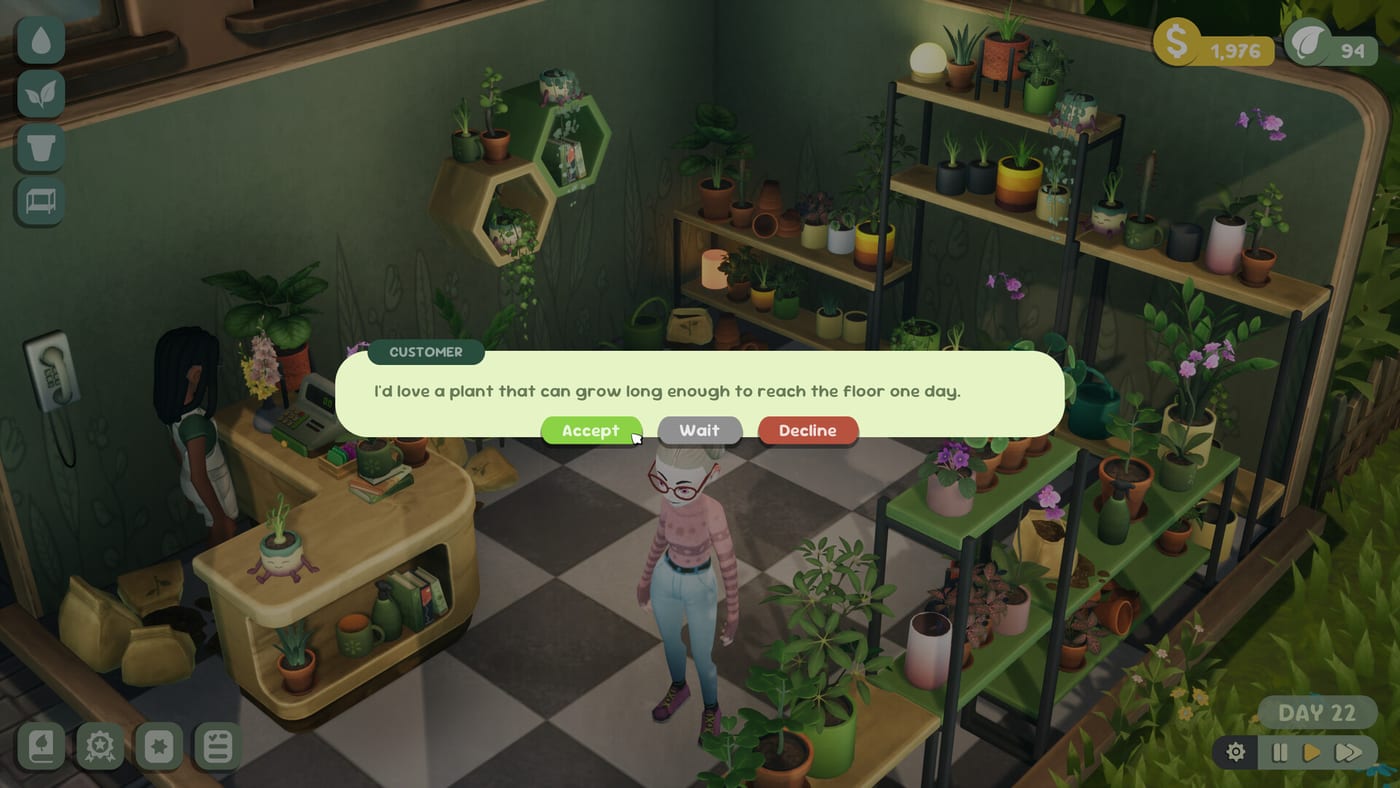
Wiki tools complement in-game UI
Leafy Corner exposes plant traits inside compendium panels, but customer requests ramp up once reputation hits order thresholds (~level 3 in demo notes). This tools hub hosts helpers you can use outside the game to plan stock before spending Plant Tokens or rearranging shop decor.
Start with the Plant Request Matcher below, then cross-read How to Help Customers and Pet-Safe Plants.
Plant Request Matcher
The matcher filters common customer traits—pet-safe, low watering, size buckets, succulent vibes, humidity lovers—and suggests species categories that fit. It mirrors wiki taxonomy, not live save data, so treat output as planning guidance beside the full game (out now since July 30, 2026 at $9.99, Steam intro sale through August 13) or the free Demo.
Use it when:
- Orders first appear and you feel trait overload—including Trailing requests after reputation 4 (Trailing Plants).
- You debate which compendium unlock to buy next via How to Unlock Plants.
- You reorganize shelves for reputation before Shop Expansion.
- You want a shopping list after Patch 1.0.3 watering changes without guessing.
Plant request matcher
Filter traits customers care about, then shortlist plants that fit.
Suggested matches
No plants match every filter. Clear one trait and try again.
How matching relates to gameplay
In-game customers reference size, watering needs, pet-safe flags, and sometimes variegations. The matcher trains you to scan panels quickly—white droplets still mean water today per How to Water Plants.
Reset filters between scenarios to avoid overfitting one request type. Pair matcher results with in-game plant info panels—wiki categories summarize, panels confirm.
Step-by-step matcher workflow
- Pick the customer scenario (pet home, apartment, low maintenance).
- Note suggested trait categories from matcher output.
- Open compendium in demo or launch and search species matching those traits.
- Place purchases on trait zones from Shop hub layout guides.
- Re-run matcher after reputation unlocks new request types.
Other planning workflows
Demo practice — Run matcher, then replicate layout in the Demo with nine species.
Launch owners — Pair matcher results with Getting Started and First Week Guide after install.
Controls check — Keep Controls open when testing trait zones in-game.
Sale window — Steam 20% off through August 13, 2026—see Launch Sale if buying on PC now.
Limits and expectations
The matcher does not read Steam cloud saves or predict exact customer dialogue—it mirrors trait groups aligned with Plants hub panels. Fireline may add traits post-launch; wiki tools update when confirmed.
No staff hiring or pricing sims to calculate—cozy scope per Review.
Offline vs in-game planning
Use matcher results as a shopping list, then validate every purchase against live plant info panels—wiki categories summarize traits; compendium panels are authoritative.
Share matcher scenarios with friends comparing shop layouts—offline planning speeds Getting Started and First Week Guide sessions.
Matcher limitations to remember
No live order queue simulation—orders unlock around reputation level 3 in demo notes; matcher trains traits, not timing.
No rot or droplet modeling—always water before selling matched species.
Wiki taxonomy may lead launch patches—confirm traits on in-game panels at purchase time.
Integrating tools with daily loops
Morning: matcher plan for expected traits. Mid-day: watering pass. Evening: compendium buys aligned with matcher gaps. Weekly: reputation check before Shop Expansion decisions.
Who benefits most from tools
New players overwhelmed by trait vocabulary before orders unlock (~level 3). Full-game owners planning compendium spends across 100+ species. Shop decorators reorganizing pet-safe and low-water zones without wasting tokens.
Future tools
This hub may add calculators if Fireline ships deeper economy systems post-launch. Current scope respects cozy design—no staff hiring or advanced pricing sims per Review.
Practice scenarios to try
Pet apartment — Enable pet-safe and small size; shortlist species you can stock before orders unlock.
Low-maintenance desk plant — Low watering plus small size; confirms you understand droplet pressure before stocking thirsty foliage.
Statement humidity corner — Humidity lover without pet-safe if the shop zone is labeled for non-pet homes; place near windows per Shop hub layout tips.
Run each scenario once in the Demo or a short full-game session so trait muscle memory sticks before heavy token spends.
Related hubs
- Guides hub — customer walkthroughs
- Plants hub — trait reference
- Shop hub — display planning
- Release — buy links and platform matrix
Frequently Asked Questions
Quick answers for Leafy Corner players.
Does the matcher read my save file?
No. It is an offline wiki helper for trait planning—not connected to Steam cloud saves.
When should I use the matcher?
Before orders unlock (~reputation level 3) and whenever compendium spending feels risky.
Do filters match in-game labels?
They mirror wiki trait groups aligned with plant info panels on the [Plants hub](/plants/).
Where do I learn customer mechanics?
[How to Help Customers](/guides/how-to-help-customers/) covers in-game requests and orders.